

The Offer
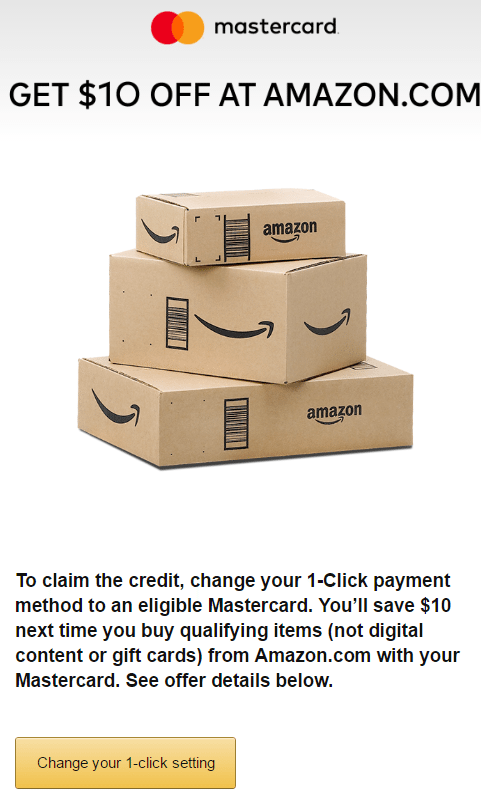
- Get $10 off your next Amazon.com purchase when you use a Mastercard. Here’s how to get this offer to show:
- Use a mobile browser (you can use Google chrome’s developer tools to do this)
- Sign out of your Amazon.com account (or use Chrome incognito mode)
- Go to sign in screen
- Copy and paste/go to the following link: https://www.amazon.com/gp/promo/redeem?promotionCode=A1J8XFP…
- We’re sorry page will show up
- Scroll to bottom and sign in
- Offer will show up
- Click “Change your 1-click setting”
- Add a Mastercard
I didn’t need to do some of those steps, but other people on Slickdeals found it was necessary.
The Fine Print
- Offer is only valid for a limited time and good while supplies last
- Maximum benefit you an recieve is $10 off on items shipped and sold by Amazon.com
- Digital content and gift cards are excluded.
- You may redeem your credit by purchasing eligible products by 11:59PM PT on January 14th, 2017
- Limit one credit per customer
- Purchase must be made using a valid Mastercard credit card
Our Verdict
This is a nice and relatively easy $10, doesn’t seem to be any minimum spend requirement. As always, we’d appreciate it if you use our Amazon links to make your purchases. Let me know what you got for free in the comments. Might be able to stack it with this $25 off $75 deal as well. I’m also going to send this out as an instant alert for those signed up, as I don’t think this will last.
Hat tip to Slickdeals