
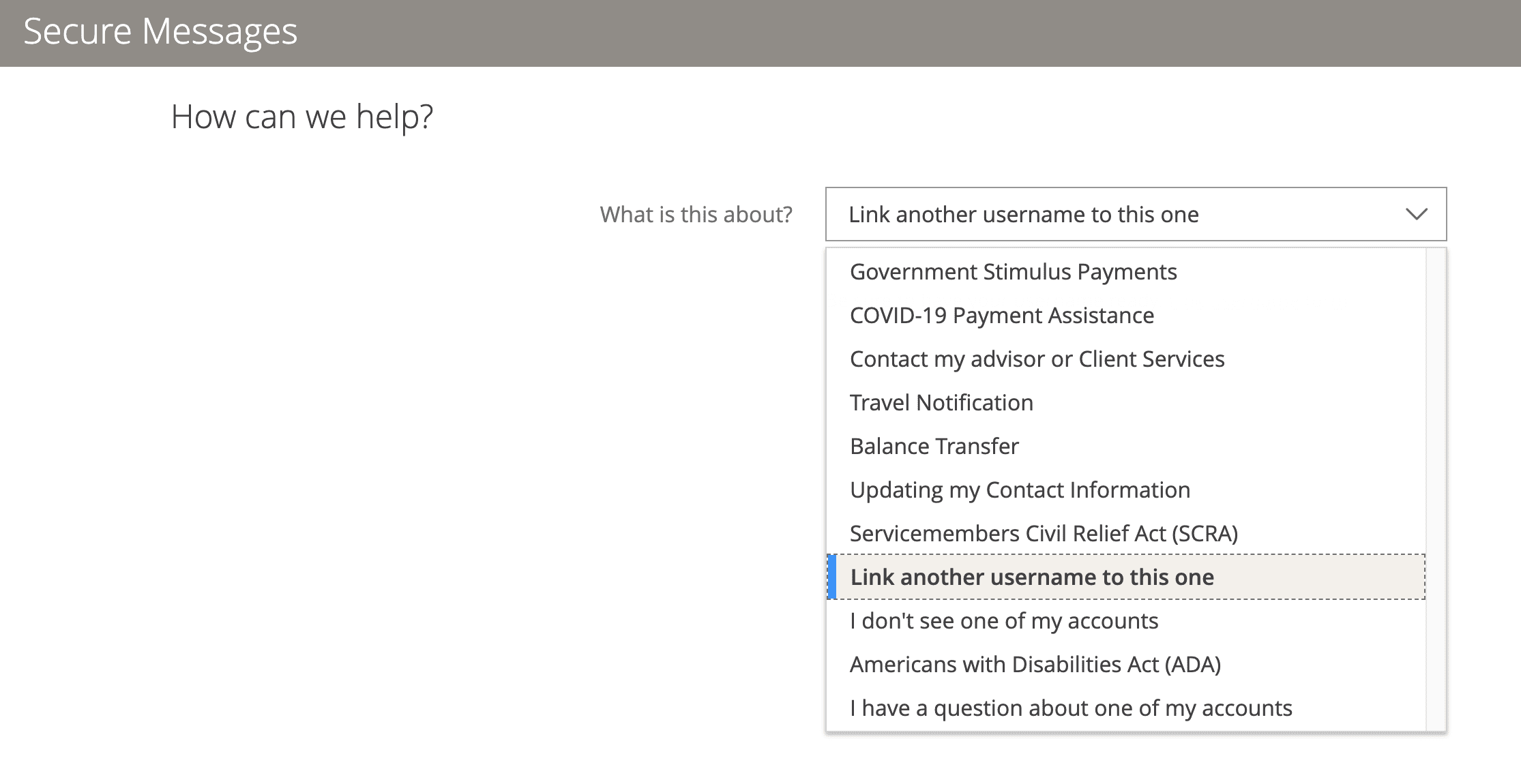
Chase has added an automated option to combine multiple Chase logins into one. This is a form filled out which you can find within the regular Secure Messaging system.
Go to: Secure Messages > New Message > Link another username to this one. And there you’ll get access to the form which can be used to combine two separate logins into one. It does take a couple of days for the login merger to complete.
This can work to combine two personal logins into one or to combine a business and personal login or to combine two business logins.. This works for credit cards and probably for bank accounts, e.g. to combine your business checking into the same login as personal checking. (I assume it only works if both logins are of the same personal; combining two spouses into one login, for example, probably won’t work.)
You want to initiate the process from within the login that you want to KEEP. Note: When combining personal and business, you need to KEEP the business login and add the personal into the business login. Not vice versa.
This is great news! Lots of people got confused with the process, especially, of how to combine their personal and business logins into one. Going forward, it should be an easy process.
Hat tip to PlaySmart5000