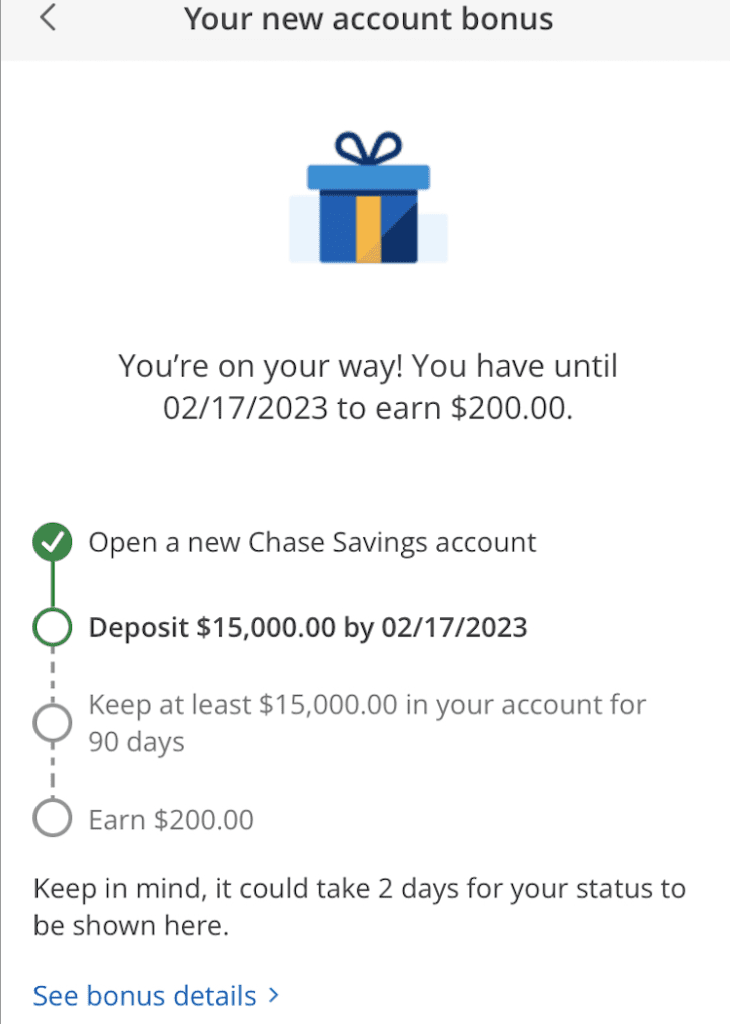
With the current Chase $900 bank bonus offer, a lot of readers casually mentioned the Chase bank bonus tracker which shows exactly which steps you’ve already done and what still needs to be done. This is useful for confirming that balance and direct deposit requirements were met.
Myself and other readers were having trouble finding it, and so here are some additional details:
- The Chase bank bonus tracker is only found within the Chase mobile app, not in the online login.
- If you have a business login (which is also able to show personal accounts), you will not see the bonus tracker. You need to be in the mobile app and logged into with your personal Chase credentials to see it. Thanks to the reader who tipped me off to this.
- You’ll only see the base bonus on the checking and/or savings account. When earning another bonus for doing both (e.g. $300 checking, $200 savings, and an additional $400 for doing both) you won’t see that third bonus showing in the tracker. You can confirm with Chase via Secure Message that the proper bonus is attached, if you’re nervous.
- It takes a few days for the bonus tracker to update after receiving a direct deposit; it’s not immediate.
- Chase is also good about sending out an email with the details confirming the bonus attached to your account. For me this came 8 days after opening the account.
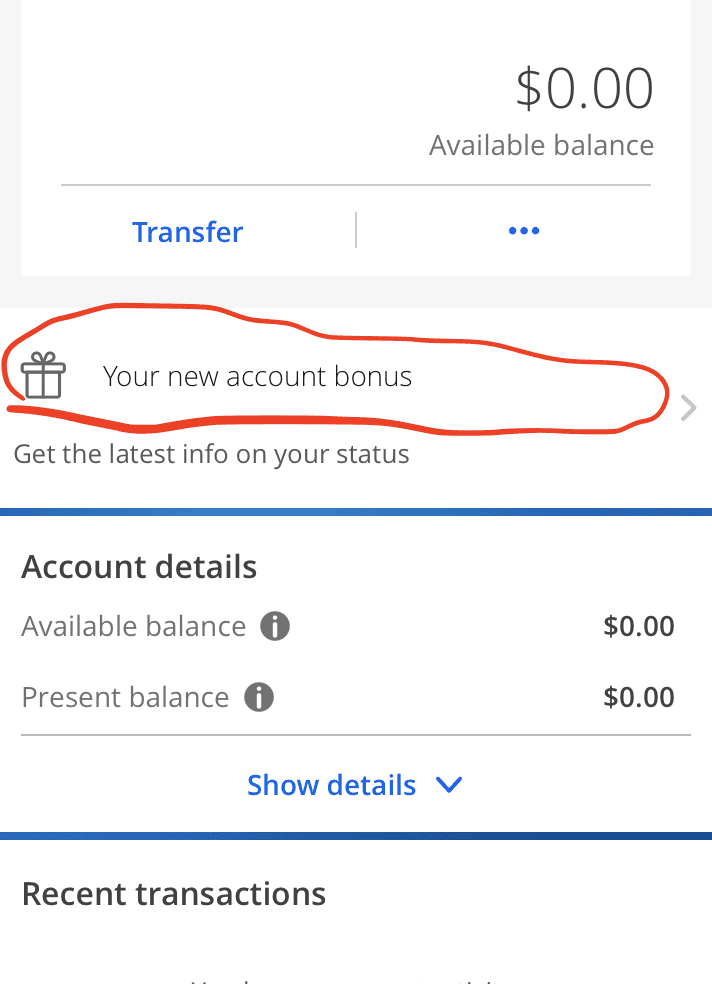
On the homepage of the app you’ll see the new checking and/or savings account listed, alongside your personal Chase credit cards. Click on the account you’d like to view to pull on the account details. Under the ‘transfer’ tab you’ll see ‘Your new account bonus’. Click that and the system will pull up the full details of the offer. Images below for my new savings account; you’ll see the same on a checking account as well: